Hindi Fonts for CapCut - Free Download & Installation Guide
Download 20+ beautiful Hindi fonts for CapCut video editing. Step-by-step installation guide for Android & iOS. Perfect for Reels, wedding videos, and educational content.
CapCut has become the go-to video editing app for millions of content creators across India. But if you have ever tried adding Hindi text to your videos, you know the struggle -- the default font options are limited, and most of them don't do justice to the beauty of Devanagari script. That is where custom Hindi fonts come in.
Whether you are creating Instagram Reels, YouTube Shorts, wedding highlight videos, or educational content, the right Hindi font can elevate your videos from amateur to professional. In this guide, we will walk you through the best Hindi fonts for CapCut, show you exactly how to install them on Android and iOS, and share practical tips for making your Hindi text look stunning in every video.
All the fonts featured here are from the AMS Fonts collection on IndiaFont.in -- a trusted library of over 100 professionally designed Devanagari fonts used by designers and content creators across India.
Video-Ready Fonts
Fonts optimized for on-screen readability, sharp rendering at all sizes, and smooth animation in CapCut.
Mobile Compatible
Standard TTF format that works seamlessly on Android, iOS, and CapCut's desktop application.
20+ Font Styles
From bold headlines to elegant calligraphy, find the perfect style for every type of video content.
Free Download
All fonts are free for personal use. Download instantly and start creating better videos today.
Why You Need Custom Hindi Fonts for CapCut
CapCut ships with a decent selection of English fonts, but its Hindi font library is quite limited. The built-in Devanagari options often look generic and lack the visual punch that makes text-on-video truly engaging. Here is why custom Hindi fonts make a real difference:
- Stand out in the feed: On platforms like Instagram and YouTube, viewers scroll past hundreds of videos daily. A distinctive Hindi font grabs attention in the first second and signals that your content is crafted with care.
- Match your content's mood: A wedding video needs graceful calligraphy, a motivational clip needs bold impactful lettering, and a comedy sketch needs something playful. Custom fonts let you match the typography to the tone.
- Better readability: Professionally designed fonts have proper spacing, consistent stroke widths, and optimized rendering that makes Hindi text easier to read on small mobile screens.
- Brand consistency: If you run a Hindi content channel or page, using a consistent set of fonts across your videos builds recognition and a professional brand identity.
- Cultural authenticity: Devanagari script has a rich calligraphic tradition. Custom fonts honor that heritage in ways that generic system fonts simply cannot.
Top 20 Hindi Fonts for CapCut
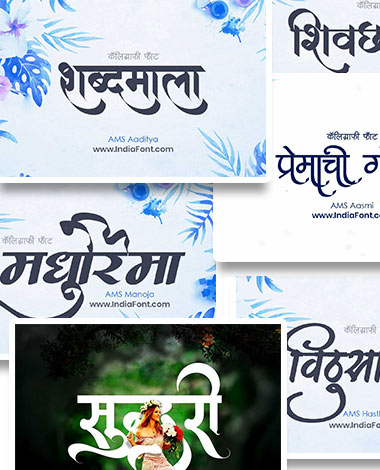
We have handpicked 20 Hindi fonts from the AMS collection that work exceptionally well in CapCut. Each font has been tested for on-screen clarity, animation compatibility, and visual impact across different video formats.
Featured Hindi Fonts for CapCut:
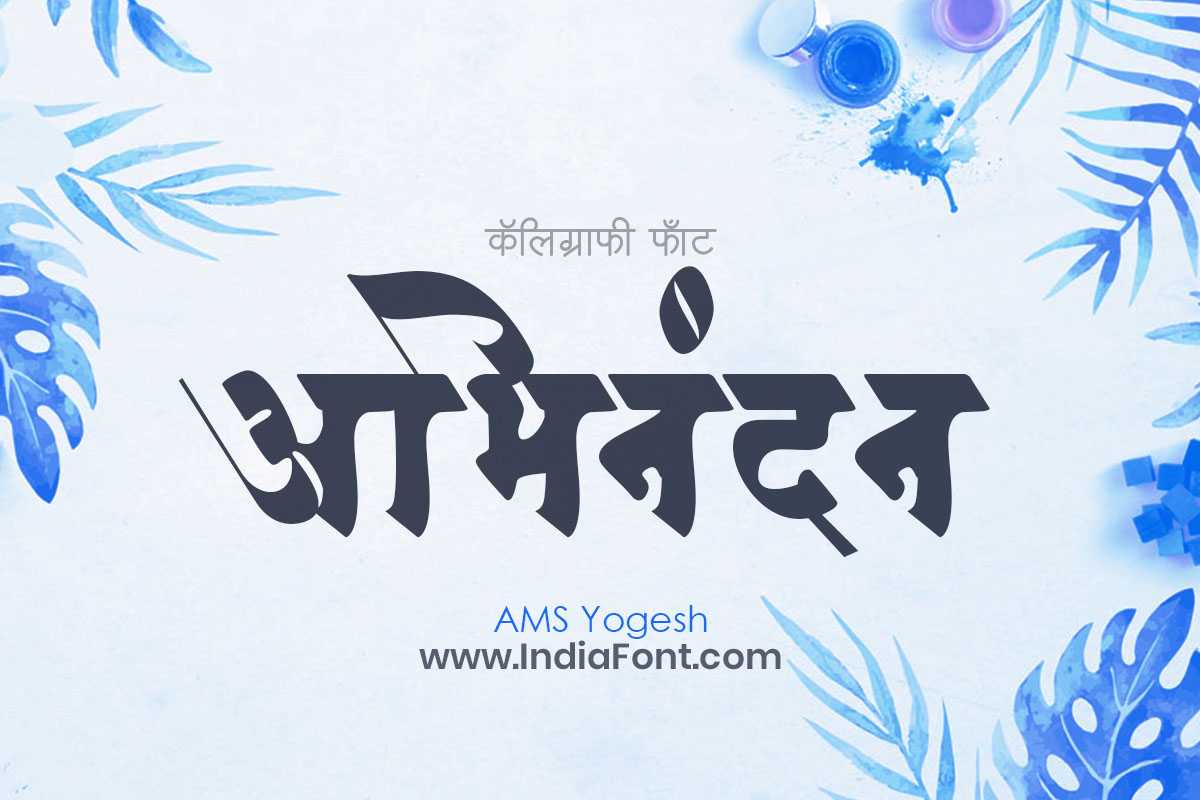
Clean and modern Devanagari font with excellent readability. A versatile choice for video titles and captions in CapCut.
Modern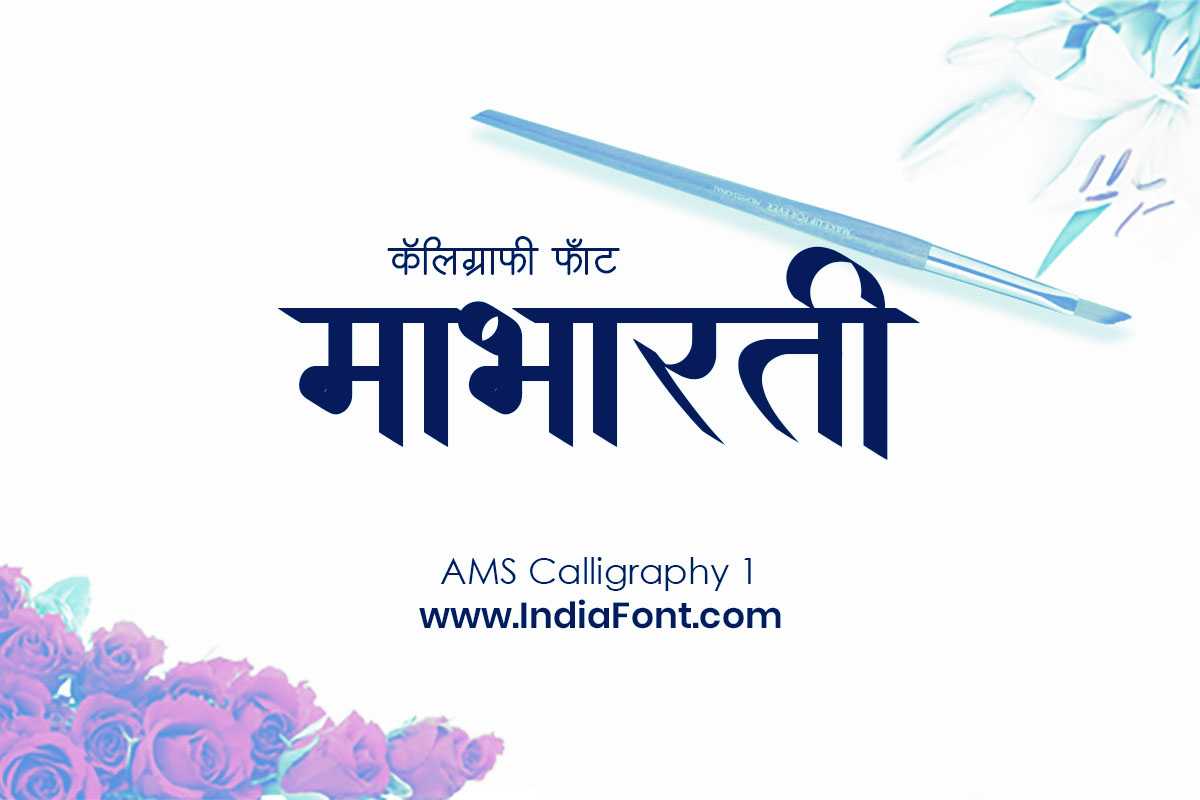
Elegant calligraphy font that adds artistic flair to your video text overlays and intro sequences.
Calligraphy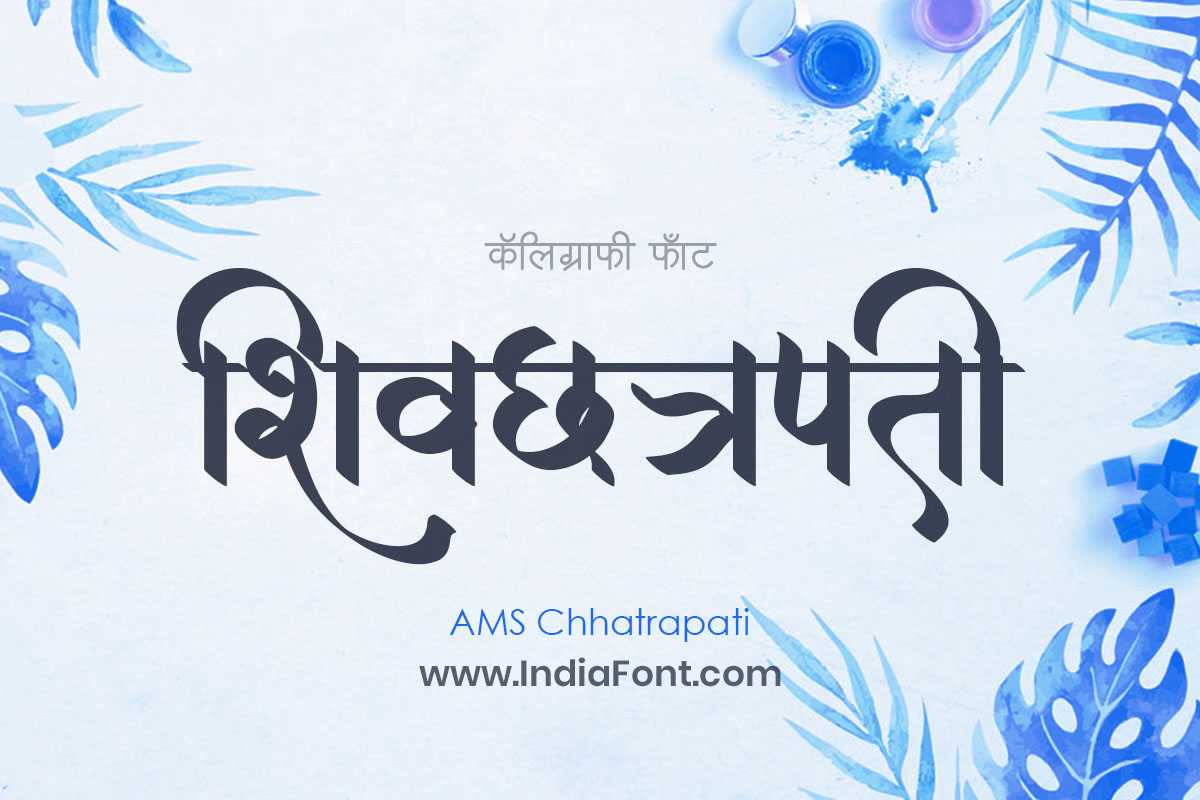
Royal majestic calligraphy with bold flourishes. Commands attention in video thumbnails and title screens.
Royal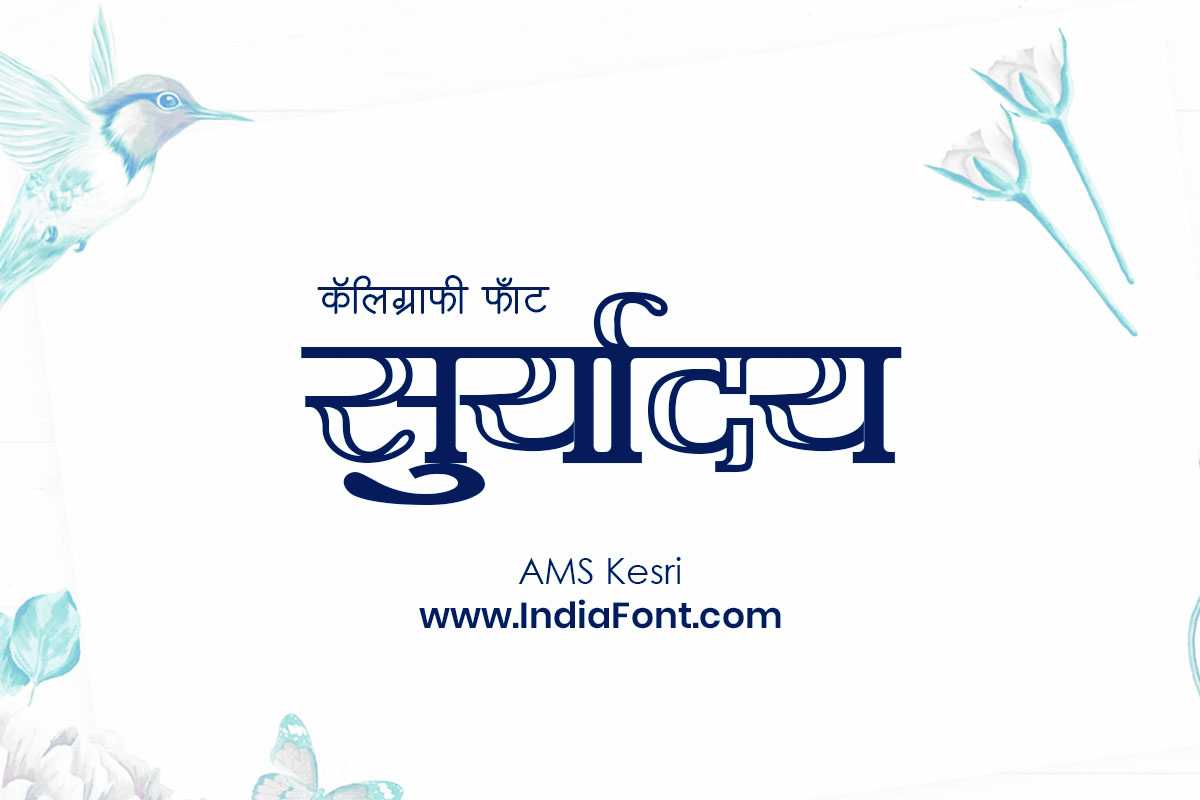
Vibrant decorative font that brings energy and celebration to your Reels and short-form video content.
Decorative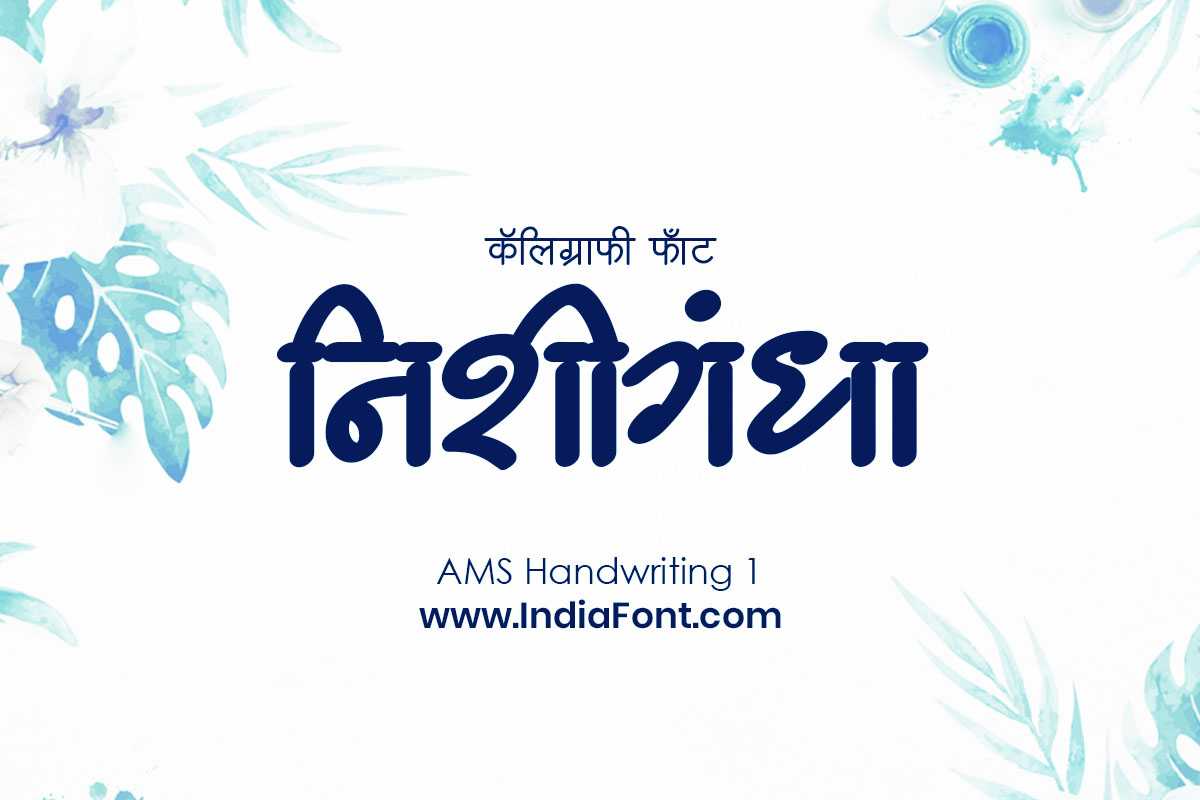
Natural handwritten style that gives your videos a personal, authentic touch. Great for storytelling content.
Handwriting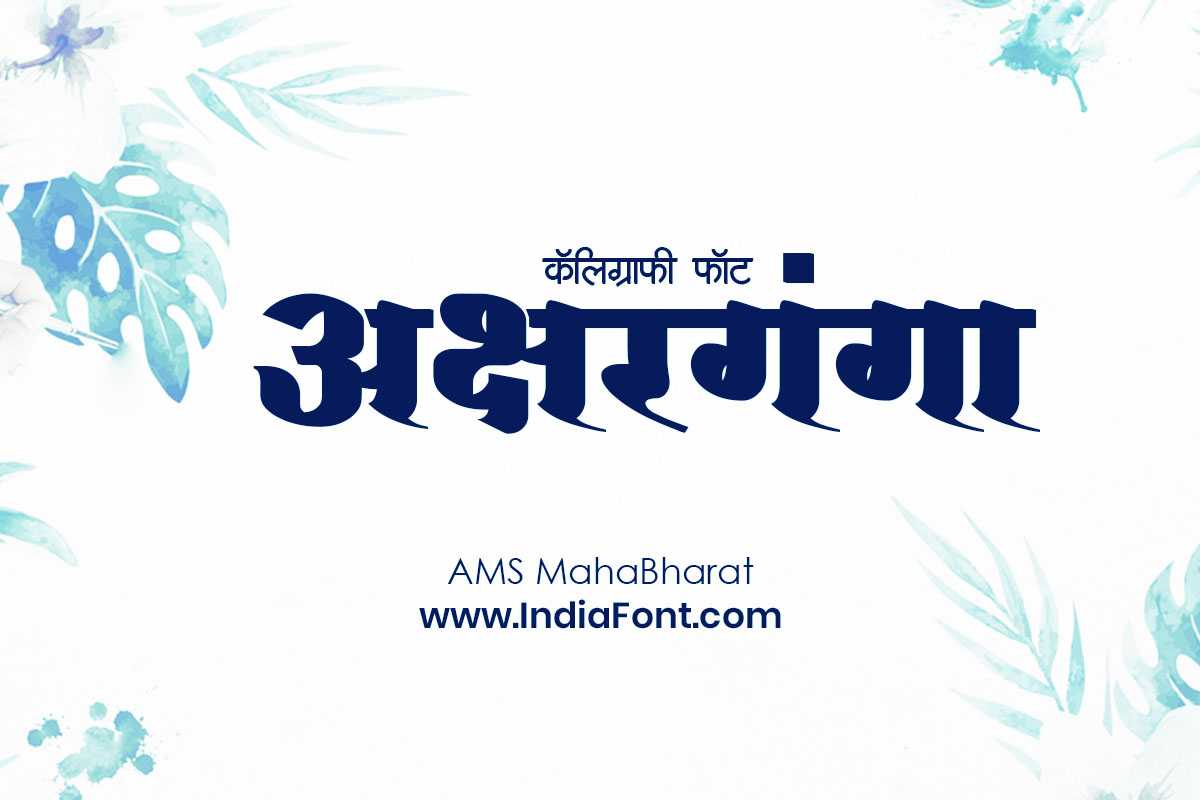
Bold and powerful font inspired by epic tradition. Perfect for dramatic video titles and cinematic intros.
BoldCalligraphy & Artistic Fonts
Calligraphy fonts bring elegance and artistry to your videos. These are ideal for wedding content, poetry videos, festival greetings, and any project where you want a refined, handcrafted feel.
AMS Calligraphy 1
The foundation of the AMS calligraphy series. Flowing strokes with balanced spacing make it a reliable choice for video titles and lower thirds. Works beautifully with CapCut's fade-in text animations.
AMS Calligraphy 2
A slightly bolder variation with more pronounced curves. Excellent for quote videos and text overlays where you need the calligraphy to stand out against busy backgrounds.
AMS Calligraphy 3
Features ornamental touches at the stroke endings. Perfect for festival greeting videos, especially Diwali, Holi, and Navratri content that benefits from decorative typography.
AMS Calligraphy 4
A refined, formal calligraphy style suited for corporate video presentations and professional Hindi content. Clean lines with elegant proportions.
AMS Calligraphy 5
The most expressive in the series with dramatic thick-thin contrast. A top pick for cinematic title cards and dramatic video intros in CapCut.
AMS Hastkala
The name means "handicraft" -- and this font delivers exactly that artisanal quality. Every letter feels hand-drawn, making it ideal for DIY, art, and lifestyle video channels.
AMS Darshana
An expressive calligraphy font with a spiritual undertone. Works wonderfully for devotional content, meditation videos, and philosophical quote overlays.
Handwriting & Personal Fonts
Handwriting fonts create an intimate, personal connection with your audience. They are perfect for vlogs, storytelling videos, personal messages, and casual content where authenticity matters more than formality.
AMS Handwriting 1
A natural, relaxed handwriting style that feels like a friend wrote it. Ideal for personal vlogs, diary-style videos, and behind-the-scenes content.
AMS Handwriting 2
Slightly more structured than Handwriting 1, with consistent baseline and even spacing. A great choice for subtitle overlays and caption text in CapCut.
AMS Handwriting 3
The most polished handwriting style in the collection. Bridges the gap between casual handwriting and formal typography -- versatile enough for almost any video genre.
AMS Lekhan 1
"Lekhan" means writing, and this font captures the essence of thoughtful penmanship. Excellent for educational content, how-to videos, and step-by-step tutorials.
AMS Lekhan 2
A bolder variant of the Lekhan series with improved legibility at smaller sizes. Works particularly well for CapCut text that needs to be readable during quick cuts.
AMS Lekhan 3
The most decorative Lekhan font with subtle artistic touches. Adds character to travel vlogs, food videos, and cultural content without being overly ornate.
Bold & Display Fonts
When you need your Hindi text to make an impact, these bold and display fonts deliver. They are designed for headlines, thumbnails, intro sequences, and any moment where your text needs to command the viewer's attention.
AMS Chhatrapati
Named after the great Maratha warrior king, this font carries a sense of power and grandeur. The thick strokes and commanding presence make it the top choice for historical, patriotic, and motivational video content.
AMS Mahabharat
Inspired by the epic, this font has a bold, cinematic quality. Perfect for dramatic reveal animations in CapCut, movie-style title cards, and gaming channel intros.
AMS Kesri
Vibrant and full of energy. This decorative font adds celebration to festival videos, event highlights, and upbeat content. The ornamental details catch the eye without sacrificing readability.
AMS Ganesha
A devotional-themed display font with distinctive character. Works beautifully for religious content, Ganesh Chaturthi videos, and spiritual channels.
AMS Mantra
Carries a meditative, sacred quality in its letterforms. An excellent choice for yoga channels, wellness content, and mantra recitation videos.
Elegant & Modern Fonts
These fonts balance tradition with contemporary design, making them suitable for a wide range of video content from modern vlogs to professional presentations.
AMS Aaditya
A clean, modern font with warm personality. Reads beautifully on screen and pairs well with English text -- making it ideal for bilingual video content in CapCut.
AMS Yogesh
Our most versatile font. The clean geometry and consistent weight make it readable at any size, from large titles to small caption text. A must-have for any Hindi content creator using CapCut.
AMS Divya
Graceful and sophisticated, AMS Divya combines smooth curves with elegant proportions. A beautiful option for fashion, beauty, and lifestyle video content.
AMS Girija
A refined font with a feminine touch. Works wonderfully for wedding highlight reels, celebration videos, and content that calls for grace and elegance.
How to Install Hindi Fonts in CapCut
Installing custom Hindi fonts in CapCut is straightforward, though the process varies depending on your device. Follow the step-by-step instructions below for your platform.
Installation on Android
Download the Font
Visit IndiaFont.in/fonts and download the TTF file for your chosen Hindi font. The file will save to your Downloads folder.
Install the Font on Your Device
Open your file manager and navigate to the downloaded TTF file. Tap on it -- many Android devices (Samsung, Xiaomi, OnePlus) will prompt you to install it directly. If your device does not support direct installation, download a free font installer app like "iFont" or "Font Installer" from the Play Store.
Restart CapCut
Close CapCut completely (remove from recent apps) and reopen it. This ensures the app detects the newly installed font.
Add Text and Select Your Font
In your CapCut project, tap "Text" to add a text layer. Switch your keyboard to Hindi input, type your text, then tap the font selector. Scroll through the font list to find your newly installed AMS font and select it.
Installation on iOS (iPhone & iPad)
Download the Font File
Visit IndiaFont.in/fonts on Safari and download the TTF file. It will save to your Files app.
Install a Font Manager App
iOS requires a third-party app to install custom fonts. Download "iFont" or "AnyFont" from the App Store (both are free for basic use).
Import and Install the Font
Open the font manager app, import the downloaded TTF file, and follow the prompts to install it. You will need to approve a configuration profile in Settings > General > Profiles.
Use in CapCut
Open CapCut, add a text element, and the installed Hindi font will appear in the system fonts section of the font picker. Select it and start typing in Hindi.
Installation on Desktop (Windows & Mac)
Download and Install
Download the TTF file from IndiaFont.in. On Windows, double-click the file and press "Install". On Mac, double-click and click "Install Font". The font is instantly available system-wide.
Open CapCut Desktop
Launch CapCut's desktop application. Add a text layer and you will find your new Hindi font in the font dropdown. CapCut desktop automatically detects all installed system fonts.
Best Use Cases for Hindi Fonts in CapCut
Different video genres call for different font styles. Here is a practical guide to choosing the right Hindi font based on what you are creating.
Instagram Reels & Shorts
Short-form content demands instant readability. Use bold fonts like AMS Mahabharat or AMS Chhatrapati for hook text. Keep font size large and limit text to a few impactful words. AMS Yogesh works well for smaller caption text.
Wedding & Event Videos
Wedding videos deserve elegance. AMS Calligraphy fonts (1 through 5) are purpose-built for this. Use them for couple names, dates, and shayari overlays. Pair with gold or rose-gold text colors for a premium look.
Educational Content
Clarity is everything in educational videos. AMS Yogesh and AMS Aaditya provide clean, distraction-free readability. Use them for definitions, key points, and on-screen notes. AMS Lekhan fonts add a teacher's handwriting feel.
Motivational & Quote Videos
Inspirational content thrives on powerful typography. AMS Chhatrapati for main quotes, AMS Darshana for spiritual messages, and AMS Handwriting fonts for personal reflections. Mix font sizes for visual hierarchy.
More Content Ideas
- Festival greetings: Use AMS Kesri or AMS Ganesha with CapCut's particle and glow effects for Diwali, Holi, and Navratri videos.
- News & commentary: AMS Yogesh provides the professional, neutral tone needed for news-style content. Pair it with a clean lower-third design.
- Cooking & recipe videos: AMS Handwriting fonts add warmth to recipe titles and ingredient lists. They feel personal, like a family recipe book.
- Travel vlogs: AMS Divya or AMS Girija bring elegance to destination titles and travel quotes. They complement scenic footage beautifully.
- Gaming content: AMS Mahabharat has the bold, dramatic energy that gaming audiences respond to. Use it for kill counts, level titles, and dramatic moments.
- Devotional content: AMS Mantra and AMS Darshana carry the appropriate spiritual weight for bhajan videos, aarti content, and religious storytelling.
Tips for Using Hindi Text in Video Editing
Getting the font installed is just the first step. Here are professional tips to make your Hindi text look polished and effective in CapCut projects.
Typography Best Practices
- Size matters on mobile: Most viewers watch on phones. Keep your Hindi text at least 60-80px for main titles. If text is not readable on a phone screen held at arm's length, it is too small.
- Contrast is non-negotiable: Hindi characters have more detail than Latin letters, so they need higher contrast against the background. Use text shadows, outlines, or semi-transparent background boxes to ensure readability.
- Limit text per frame: Devanagari characters are wider than English letters. Aim for no more than 8-10 words per text overlay to avoid cramped, unreadable layouts.
- Use matras carefully: Some Hindi words with complex matras (vowel marks) need extra vertical space. Test your text at the intended size before finalizing the layout to avoid clipping.
- Pair Hindi and English thoughtfully: If mixing scripts, use AMS Yogesh or AMS Aaditya for Hindi -- their proportions harmonize well with popular English fonts.
CapCut-Specific Tips
- Text animations: CapCut's "Fade In" and "Slide Up" animations work best with Hindi fonts. Avoid character-by-character animations as they can break Devanagari conjunct characters.
- Text behind subject: Use CapCut's masking feature with large Hindi text behind a person for a trending Reels style. Bold fonts like AMS Mahabharat create the most striking effect.
- Keyframe text size: Animate Hindi text from small to large using keyframes for a dynamic zoom effect. This works particularly well with calligraphy fonts for dramatic reveals.
- Layer multiple fonts: Create depth by placing the same text twice -- a bold font in a large size behind, and the actual text in front. Apply different colors and slight offsets for a 3D shadow effect.
- Export at 1080p minimum: Hindi characters have fine details that get lost at lower resolutions. Always export at 1080p or higher for crisp text rendering.
Quick Alternative: Create Hindi Text Online
Generate Hindi Calligraphy Images Instantly
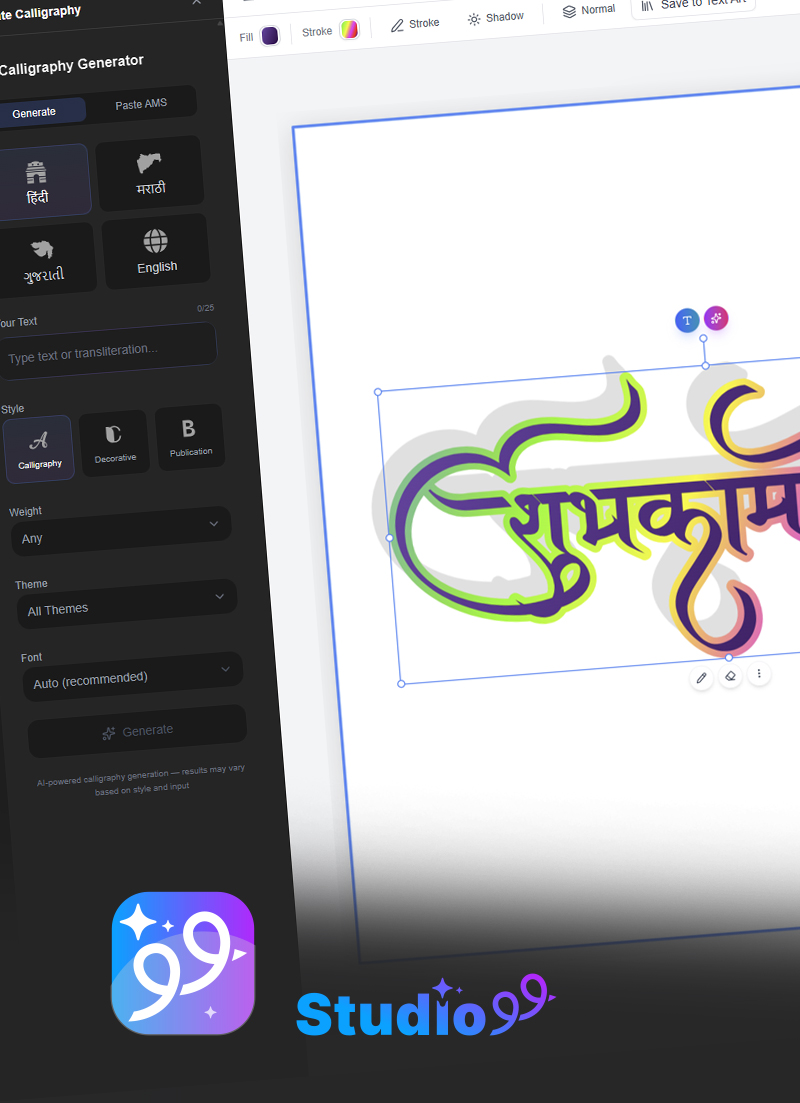
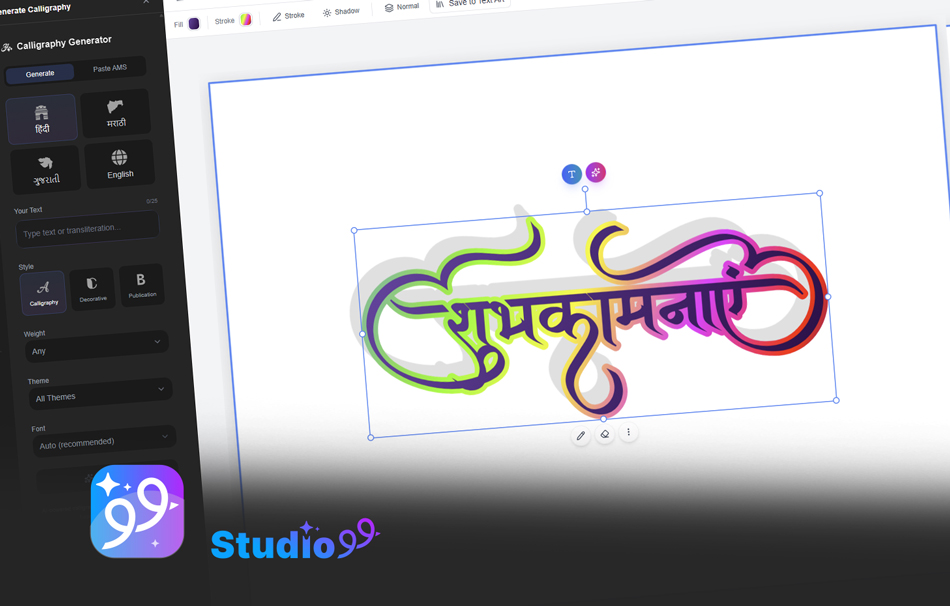
Need a quick Hindi text image for your CapCut project without installing fonts? CalligraphyMaker.com lets you create beautiful Hindi calligraphy text images directly in your browser. Generate the image, download it as PNG with transparent background, and import it into CapCut as an overlay. This method works on any device without font installation.
Try CalligraphyMaker FreeFrequently Asked Questions
How do I add Hindi fonts to CapCut on Android?
Download the Hindi font TTF file from IndiaFont.in. Open your phone's file manager and locate the downloaded file. Tap on it to install, or copy it to your device's Fonts folder. Open CapCut, add a text layer, and the font will appear in your font list. Some Android devices may require a font installer app.
Can I use custom Hindi fonts in CapCut for free?
Yes, all AMS Hindi fonts on IndiaFont.in are free to download for personal use. You can use them in CapCut for creating personal videos, social media Reels, and non-commercial content without any cost. For commercial video production, consider the AMS Fonts Bundle with a commercial license.
Why is my Hindi font not showing correctly in CapCut?
This usually happens when the font is not properly installed or CapCut needs to be restarted after installation. Make sure you have installed a Unicode-compatible Hindi font (like AMS fonts). Close and reopen CapCut after installing the font. Also check that your keyboard is set to Hindi input mode when typing.
Which Hindi font style is best for Instagram Reels in CapCut?
For Instagram Reels, bold and decorative fonts like AMS Kesri, AMS Chhatrapati, and AMS Mahabharat work great because they are readable at small sizes on mobile screens. For softer content, calligraphy fonts like AMS Calligraphy 1 or AMS Hastkala add an elegant touch.
Do AMS Hindi fonts work on both Android and iOS versions of CapCut?
Yes, AMS Hindi fonts are standard TTF files that work on both platforms. The installation process differs -- on Android you can often install directly, while on iOS you need a font installer app like iFont or AnyFont. Once installed on either platform, the fonts are available in CapCut's font picker.
How many Hindi fonts can I install for CapCut?
There is no strict limit from CapCut's side. You can install as many Hindi fonts as your device storage allows. For best performance, we recommend keeping 10-20 custom fonts installed at a time. IndiaFont.in offers over 100 Hindi fonts to choose from, so you can rotate them based on your project needs.
Can I use these Hindi fonts in CapCut's desktop version?
Absolutely. CapCut's desktop version for Windows and Mac automatically detects fonts installed on your system. Simply download the TTF file from IndiaFont.in, install it on your computer by double-clicking and pressing Install, and the font will immediately appear in CapCut's font picker.
Need Fonts for Commercial Video Production?
Get 134 Hindi Fonts Bundle
Running a video production business or creating commercial content? Get the complete AMS Fonts Bundle with a commercial license for all 134 fonts at just Rs. 199 (Save 87%!). One purchase, unlimited video projects.
- 134 Premium Hindi Fonts
- Commercial License Included
- Works in CapCut, Premiere Pro, DaVinci
- Lifetime Access
- All Future Updates Free
For Professional Editors: IndiaFont Desktop
Unlock 500+ Hindi Fonts for Professional Video Editing
If you work with Hindi typography regularly across CapCut, Premiere Pro, After Effects, or DaVinci Resolve, IndiaFont Desktop software gives you access to the complete font ecosystem with advanced tools:
- Direct Hindi typing within any video editing software
- 500+ curated Hindi and Marathi fonts
- Auto-correction and smart text formatting
- Regular updates with new font releases
Start Creating Better Hindi Videos Today
Download your favorite Hindi fonts and transform your CapCut projects. All fonts are free for personal use.
Browse All Hindi FontsThe difference between a forgettable video and a viral one often comes down to the small details -- and typography is one of the most impactful details you can control. With the right Hindi fonts installed in CapCut, you have the tools to create videos that are not only visually striking but also culturally authentic and deeply engaging for your Hindi-speaking audience. Download a few fonts from the list above, experiment with different styles, and discover what works best for your unique content.