Free Hindi & Marathi Fonts for PixelLab - Download & Install Guide
Download 40+ free Hindi and Marathi fonts for PixelLab. Step-by-step guide to install AMS fonts on PixelLab Android app for stunning photo editing, thumbnails, quotes, and social media designs.
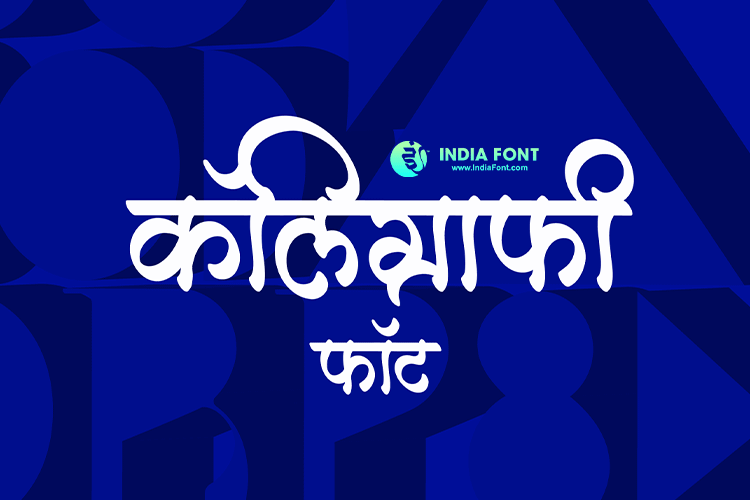
PixelLab is one of the most popular text-on-photo editing apps for Android, and adding Hindi or Marathi fonts to it can completely transform your creative projects. Whether you are designing YouTube thumbnails, Instagram stories, motivational quote images, or festival greetings, the right Devanagari font makes your content stand out. In this guide, we bring you a handpicked collection of over 40 free Hindi and Marathi fonts from the AMS Fonts library that work beautifully inside PixelLab.
Many PixelLab users struggle to find high-quality Hindi fonts that look professional on mobile screens. The default font options in the app are limited when it comes to Indian languages. That is exactly why we have compiled this comprehensive list of tested, free-to-download AMS fonts that you can install directly into PixelLab on your Android phone. Each font has been chosen for its readability at different sizes, visual appeal on photo backgrounds, and versatility across various design styles.
Mobile Optimized
Every font is tested for crisp rendering on mobile screens, so your PixelLab designs look sharp on any Android device.
Calligraphy & Styles
From elegant calligraphy to bold display fonts, our collection covers every creative need for Hindi and Marathi text.
Free Download
All fonts listed here are free for personal use. Download the TTF files and load them into PixelLab in minutes.
Professional Quality
AMS fonts are used by thousands of professional designers across India, ensuring your mobile designs look polished.
25 Best Hindi Fonts for PixelLab (Free Download)
Hindi is the most widely spoken language in India, and having the right Hindi font in PixelLab opens up endless creative possibilities. Whether you need a clean font for a motivational quote or an ornate calligraphy style for a festival banner, the AMS Hindi font collection has you covered. Below are 25 of the best Hindi fonts that work perfectly inside PixelLab.
Featured Hindi Fonts for PixelLab:
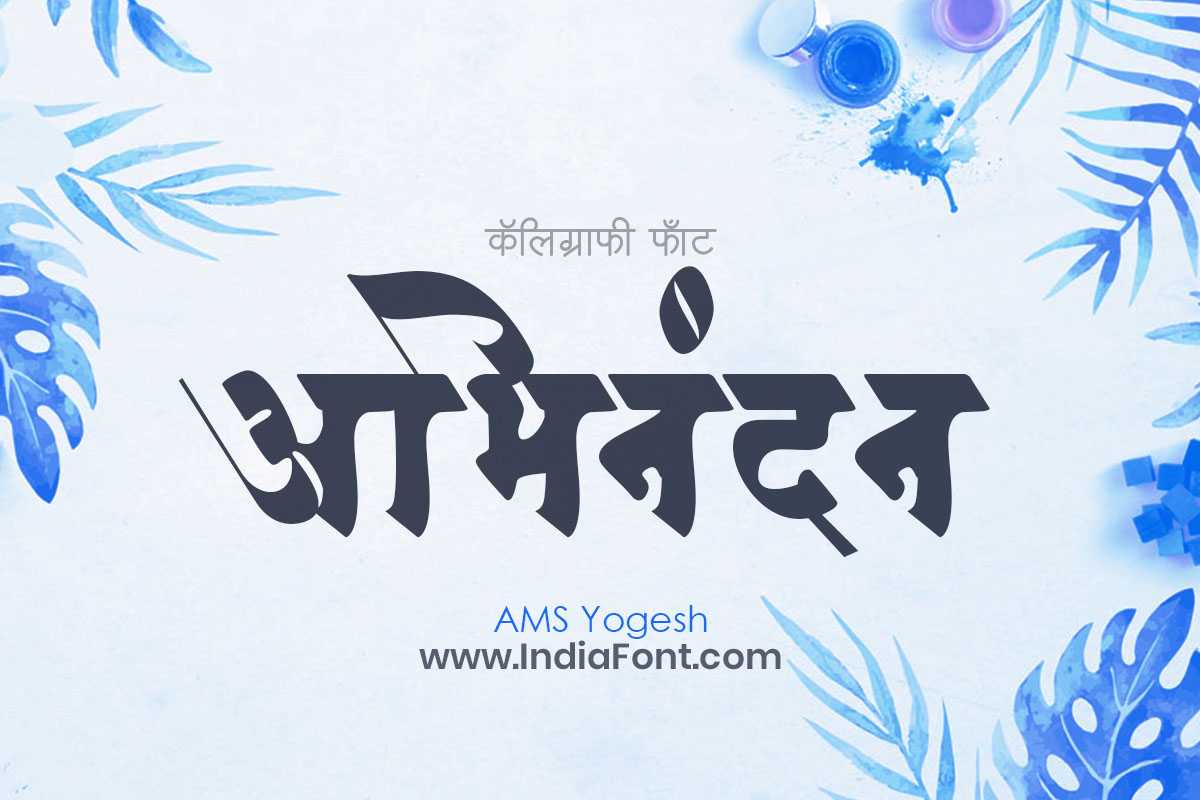
Clean and modern Devanagari font ideal for PixelLab thumbnails, social media quotes, and eye-catching photo captions.
Modern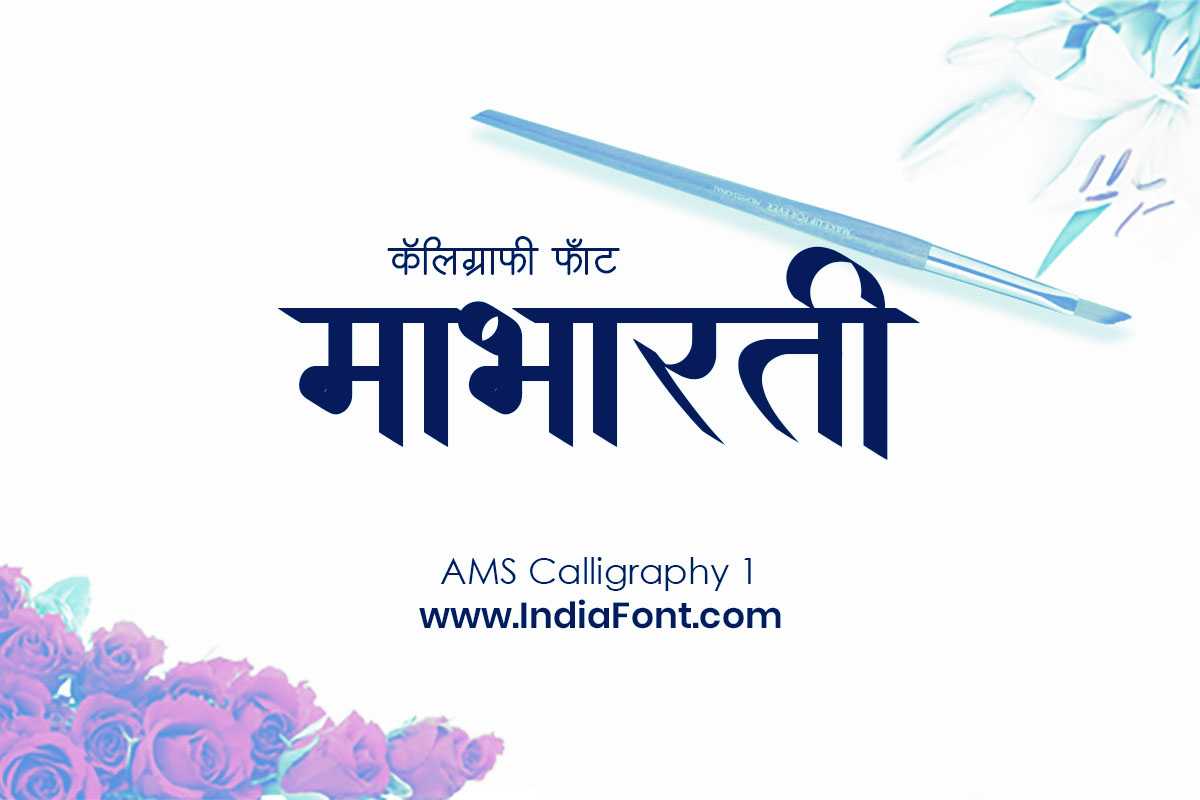
Elegant calligraphy font that brings artistic flair to PixelLab designs, perfect for motivational quotes and festival posts.
Calligraphy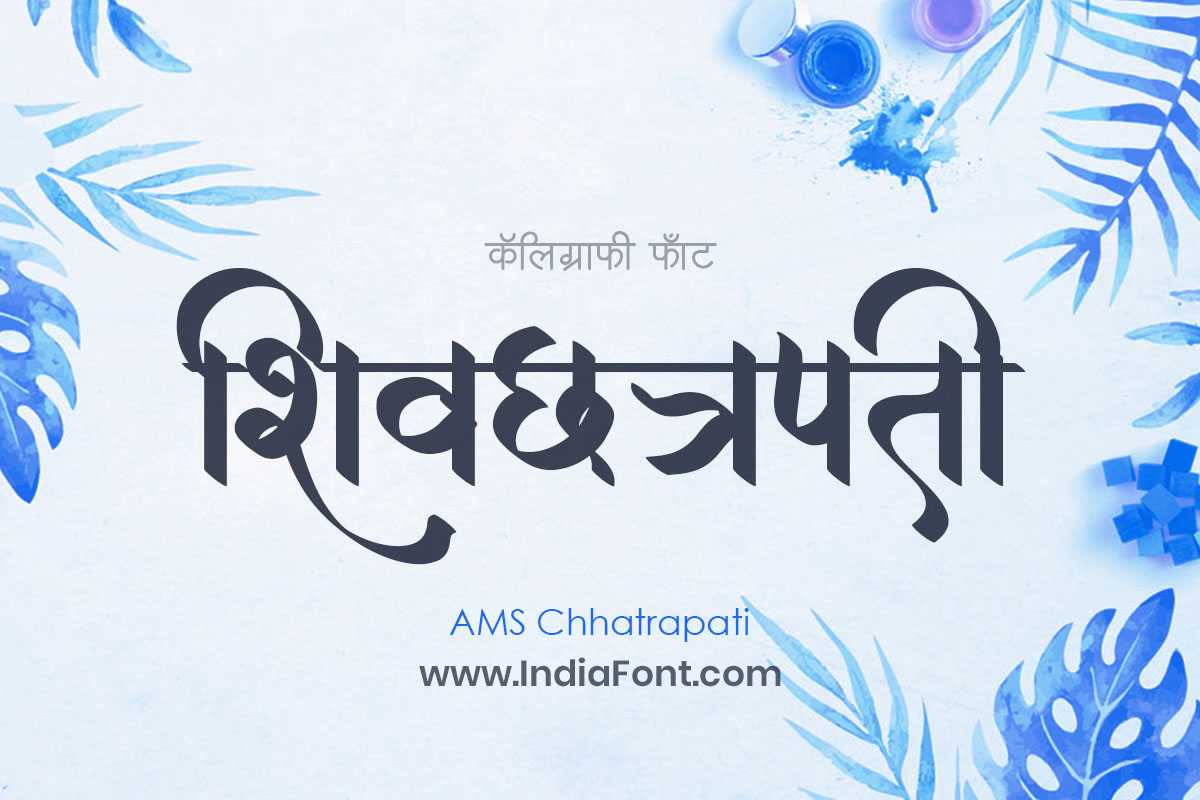
Royal and majestic calligraphy with powerful strokes, ideal for bold headlines and impactful PixelLab poster designs.
Royal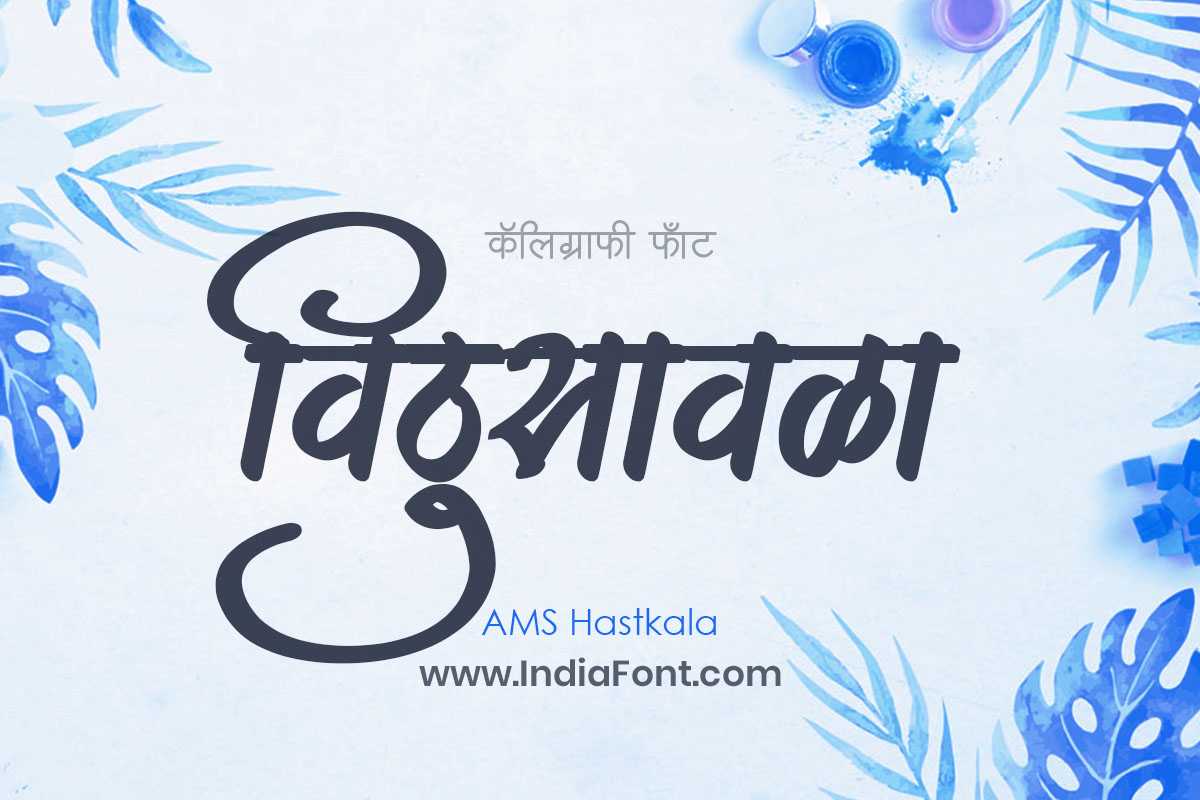
Handcrafted artisan font with authentic handwritten character, great for personal quotes and creative PixelLab compositions.
Handwritten
Traditional Marathi font with cultural depth, perfect for educational content and authentic regional designs in PixelLab.
Traditional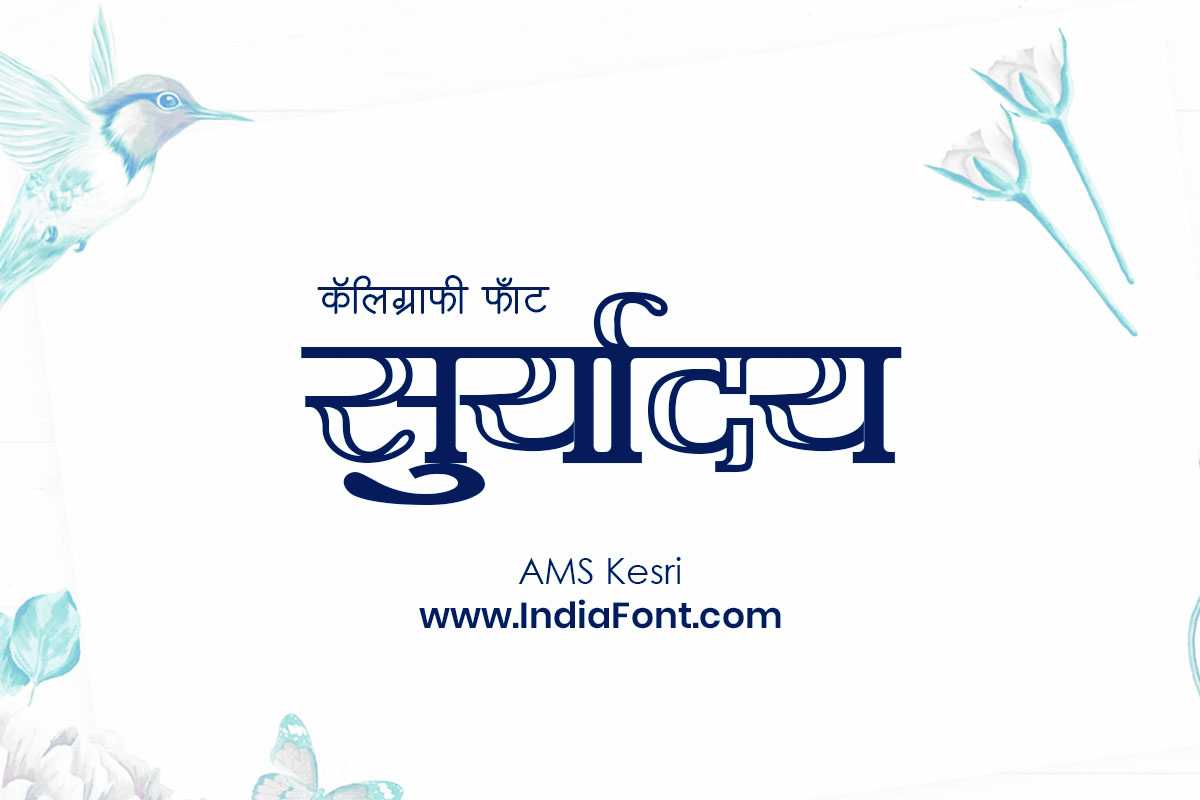
Vibrant decorative font with bold presence, adds energy and celebration to PixelLab banners and YouTube thumbnails.
DecorativeComplete List of Hindi Fonts for PixelLab
Here is the full list of 25 recommended Hindi fonts from the AMS collection. Click any font name to visit its dedicated page where you can preview the font, see sample designs, and download the TTF file.
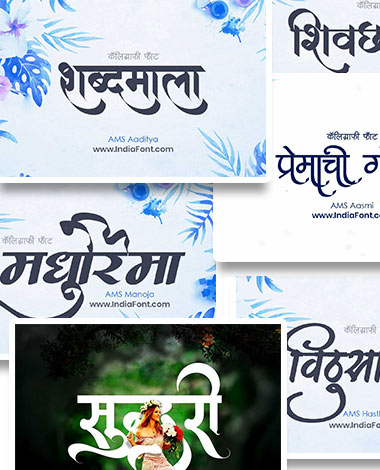
AMS Yogesh
A clean, modern font with excellent legibility. Works well for body text, social media captions, and everyday PixelLab designs where clarity is the priority.
AMS Aaditya
A bright and confident font with distinctive strokes. Perfect for YouTube video thumbnails and attention-grabbing headlines in PixelLab.
AMS Chhatrapati
Royal calligraphy font with majestic character. Ideal for historical content, Shivaji Maharaj quotes, and any design that needs a regal presence.
AMS Kesri
Vibrant and energetic decorative font. Makes festival greetings, celebration banners, and promotional designs pop in PixelLab.
AMS Calligraphy 1
The first in our popular calligraphy series. Smooth, flowing strokes make it a go-to choice for elegant quote images and artistic compositions.
AMS Calligraphy 2
Traditional calligraphy with cultural authenticity. Pairs beautifully with heritage-themed photo backgrounds in PixelLab.
AMS Calligraphy 3
Decorative calligraphy with ornate details. Excellent for wedding invitation designs and formal event announcements created on mobile.
AMS Calligraphy 4
A balanced calligraphy font that sits between formal and casual. Versatile enough for both professional and personal PixelLab projects.
AMS Calligraphy 5
Classic calligraphy style with proven appeal. One of the most downloaded fonts in our collection, loved for its timeless beauty.
AMS Calligraphy 6
Contemporary calligraphy with modern sensibility. Great for social media content creators who want a fresh look for their Hindi text.
AMS Calligraphy 7
The most artistic font in the calligraphy series. Features unique character shapes that add creative distinction to PixelLab designs.
AMS Lekhan 1
Professional writing font with refined letterforms. Suitable for longer text passages in PixelLab, like poem images or story excerpts.
AMS Lekhan 2
Slightly bolder variant in the Lekhan family. Adds weight and impact to PixelLab text while maintaining professional readability.
AMS Lekhan 3
An expressive take on the Lekhan series. Its character adds personality to quote graphics and blog title images.
AMS Lekhan 4
Versatile writing font with excellent mobile readability. Works consistently well across various PixelLab text sizes and background colors.
AMS Lekhan 5
The most refined Lekhan variant. Premium look and feel that elevates any PixelLab creation to a professional standard.
AMS Handwriting 1
Authentic handwritten style that feels personal and warm. Ideal for PixelLab designs that need a human, approachable touch.
AMS Handwriting 2
Casual handwriting with a relaxed feel. Perfect for diary-style posts, personal messages, and informal PixelLab quote designs.
AMS Handwriting 3
Neat and tidy handwriting style. Bridges the gap between formal and casual, making it suitable for a wide range of PixelLab projects.
AMS Handwriting 4
Bold handwritten font with strong character. Stands out well on busy photo backgrounds, making it a PixelLab favorite for overlays.
AMS Hastkala
Artisan handcrafted calligraphy with unique personality. Each character feels individually crafted, bringing authenticity to designs.
AMS Hastkala 1
Extended version of the Hastkala family with additional artistic flourishes. Great for decorative PixelLab headers and titles.
AMS Mantra
Spiritual and meditative font design. Perfect for devotional content, mantra images, and spiritual quote designs in PixelLab.
AMS Darshana
Visionary font with a contemplative quality. Adds depth and thoughtfulness to philosophical quotes and wisdom-based PixelLab content.
AMS Ganesha
Auspicious and celebratory font inspired by the beloved deity. Ideal for Ganesh Chaturthi posts, festive content, and PixelLab greeting designs.
Each of these Hindi fonts brings something different to the table. The calligraphy series (AMS Calligraphy 1 through 7) gives you a range of artistic options, while the Lekhan series is perfect for when you need legibility alongside elegance. The Handwriting fonts add a personal, human touch that works particularly well on quote images and storytelling posts. Experiment with a few and find the ones that best match your personal style.
15 Best Marathi Fonts for PixelLab (Free Download)
Marathi content creators deserve fonts that respect the beauty and nuance of their language. While Hindi and Marathi both use the Devanagari script, Marathi has its own typographic traditions and aesthetic preferences. The AMS fonts below have been selected specifically because they render Marathi text with the proper character forms, spacing, and visual balance that Marathi readers expect.
Authentic Marathi Typography for Mobile Design
These fonts preserve traditional Marathi calligraphic beauty while being optimized for small-screen readability in PixelLab. Perfect for Marathi blogs, Instagram pages, and YouTube channels.
Script Accuracy
Correct Marathi character forms and conjuncts, tested for proper rendering in PixelLab.
Cultural Authenticity
Fonts designed with deep respect for Marathi literary and calligraphic traditions.
PixelLab Ready
TTF format files that load seamlessly into PixelLab on all Android devices.
Complete List of Marathi Fonts for PixelLab
AMS Barakhadi
A foundational Marathi font rooted in traditional script education. Clean and readable, it is the go-to choice for educational content and informational PixelLab designs.
AMS Barakhadi 1
An evolved version with enhanced character spacing and refined strokes. Performs beautifully in PixelLab at both large headline and smaller body text sizes.
AMS Manoja
Mesmerizing calligraphy that blends traditional Marathi script with modern elegance. A designer favorite for wedding and event-related PixelLab content.
AMS Karuna
Compassionate and gentle letterforms that convey warmth. Ideal for emotional quote images, storytelling posts, and heartfelt messages in PixelLab.
AMS Indu
A luminous font with smooth curves and balanced proportions. Works brilliantly for blog graphics and informational PixelLab posts in Marathi.
AMS Kirti
Bold and authoritative Marathi font with a strong visual presence. Makes headings and titles stand out powerfully in any PixelLab design.
AMS Payal
Graceful and melodic font reminiscent of traditional Marathi literature. Excellent for poetry images, literary quotes, and cultural PixelLab content.
AMS Sindhu
Flowing and dynamic font that mirrors the energy of water. Brings movement and life to PixelLab designs, especially nature and travel-themed content.
AMS Meghna
Soft and atmospheric Marathi font with a dreamy quality. Perfect for monsoon-themed posts, romantic content, and mood-driven PixelLab designs.
AMS Kasturi
Fragrant and appealing font with natural grace. A well-rounded option that suits diverse PixelLab projects from food blogs to lifestyle content.
AMS Kasturi 1
Enhanced version of Kasturi with additional weight and presence. Holds its own against detailed photo backgrounds in PixelLab compositions.
AMS Shikha
Flame-inspired font with pointed strokes and elegant peaks. Adds visual intensity to motivational content and powerful PixelLab text overlays.
AMS Sudha
Pure and refined typography with a sophisticated appeal. Ideal for premium-looking PixelLab designs, brand content, and professional Marathi graphics.
AMS Nirmala
Clean, minimalist font with outstanding readability. The best choice when you need your Marathi text to be perfectly clear in PixelLab at any size.
AMS Sundar
Beautiful and well-proportioned Marathi font. Its balanced aesthetics make it a reliable all-purpose option for any PixelLab creation.
These 15 Marathi fonts cover a wide spectrum of design needs. From the traditional clarity of AMS Barakhadi to the contemporary refinement of AMS Nirmala, you will find fonts suited for everything from casual Instagram stories to professional poster designs. We recommend downloading at least 4 or 5 that match different moods and use cases so you always have the right option ready in PixelLab.
How to Install Hindi & Marathi Fonts in PixelLab (Android)
Installing custom fonts in PixelLab is straightforward and takes only a few minutes. Follow these step-by-step instructions to get your new Hindi and Marathi fonts working inside the app.
Step-by-Step Installation Guide
Download the Font File
Visit the font page on IndiaFont.in (click any font name in the lists above) and download the TTF file to your Android phone. The file will be saved in your Downloads folder by default.
Open PixelLab and Create a Design
Launch PixelLab on your Android device. Start a new project or open an existing one. Add text to your canvas by tapping the "A" (text) button from the toolbar at the bottom of the screen.
Access the Font Selection Panel
Tap on the text you added, then tap "Font" in the options panel. This will open the font selection screen where you can see all available fonts.
Load Your Custom Font
Tap the "My Fonts" tab at the top of the font panel. Then tap the "+" (plus) button or "Load Font" option. Navigate to your Downloads folder and select the TTF file you downloaded in Step 1.
Start Using the Font
Your font will now appear in the "My Fonts" section. Tap it to apply it to your selected text. The font remains saved in PixelLab for all future projects - you only need to load it once.
Pro Tips for Font Management in PixelLab
- Batch download: Download several fonts at once and load them all into PixelLab in one session so you have variety ready when designing.
- Organize by style: Keep your downloaded TTF files in a dedicated "Fonts" folder on your phone for easy access when loading new fonts.
- Test at multiple sizes: After loading a font, try it at different text sizes. Some calligraphy fonts look best at larger sizes, while writing fonts remain clear even when small.
- Use with Hindi keyboard: Make sure you have a Hindi (Devanagari) keyboard installed on your Android phone, such as Gboard with Hindi language pack. This allows you to type directly in Hindi within PixelLab.
Design Showcase: Creative Ideas with Hindi & Marathi Fonts in PixelLab
Having the right fonts is just the beginning. Here are some popular design ideas and use cases to inspire your next PixelLab project using these Hindi and Marathi fonts.
YouTube Thumbnails
Create eye-catching Hindi thumbnails that get clicks. Use bold fonts like AMS Kesri or AMS Chhatrapati for the main title, and pair with AMS Yogesh for subtitle text. Add text shadows and outlines in PixelLab for extra visibility against video screenshots.
Motivational Quotes
Hindi and Marathi motivational quotes perform exceptionally well on social media. Use AMS Calligraphy fonts for the quote text and AMS Lekhan for the author attribution. Choose a calming landscape or abstract background in PixelLab to complement your typography.
Instagram Stories & Posts
Stand out in the Instagram feed with beautifully styled Hindi and Marathi text. PixelLab lets you create story-sized canvases. Use AMS Handwriting fonts for a personal, relatable feel, or AMS Manoja for a polished look on carousel posts.
Festival Greetings
Diwali, Holi, Ganesh Chaturthi, Gudi Padwa - every Indian festival is an opportunity to create beautiful greeting images. Use AMS Ganesha for Ganesh Chaturthi, AMS Mantra for devotional content, and the Calligraphy series for elegant festive wishes.
Poetry & Shayari Images
Hindi poetry and Marathi kavita look stunning when paired with the right font. AMS Hastkala gives an authentic handwritten feel to poetry posts, while AMS Calligraphy 3 adds formal elegance. Use subtle, bokeh backgrounds in PixelLab for best results.
Social Media Announcements
Business announcements, event promotions, and news updates in Hindi or Marathi need fonts that are clear and impactful. AMS Nirmala and AMS Sundar provide clean readability, while AMS Kirti adds authority for important announcements in PixelLab.
Why AMS Fonts Are the Best Choice for PixelLab
With so many font options available online, you might wonder what makes AMS fonts specifically suitable for PixelLab. Here are the key reasons thousands of PixelLab users across India prefer AMS fonts for their Hindi and Marathi designs.
Optimized TTF Format
All AMS fonts are available in standard TTF format, which is the native format PixelLab uses for custom fonts. No conversion needed - just download and load directly into the app.
Complete Character Support
Each font includes the full Devanagari character set including conjuncts, matras, and special characters. You will never encounter missing characters when typing in Hindi or Marathi.
Tested on Mobile Screens
AMS fonts maintain legibility and visual appeal even at smaller text sizes common in mobile photo editing. The character spacing and stroke weights are designed to work on screens ranging from budget phones to flagships.
Wide Variety of Styles
From calligraphy to handwriting, modern to traditional, the AMS collection provides enough variety that you rarely need to look elsewhere. One download session and you are set for months of diverse designs.
Trusted by Professionals
AMS fonts have been the industry standard for Hindi and Marathi typography for years. The same fonts used in professional print shops and design studios are now available for your mobile creative projects.
Regular Updates
The AMS font library is continuously growing with new additions and refinements. By bookmarking IndiaFont.in, you always have access to the latest fonts for your PixelLab projects.
Bonus: More Hindi Fonts Worth Trying
Beyond our curated lists of 25 Hindi and 15 Marathi fonts, here are a few more AMS fonts that PixelLab users have found particularly useful for specific design scenarios.
Frequently Asked Questions
How do I add Hindi fonts to PixelLab?
Download the TTF font file from IndiaFont.in to your Android phone. Open PixelLab, add text to your design, tap "Font", go to the "My Fonts" tab, tap the "+" button, navigate to your Downloads folder, and select the TTF file. The font will be loaded and ready to use.
Are these Hindi and Marathi fonts free to download?
Yes, all fonts listed on IndiaFont.in are free for personal use. You can download and use them in PixelLab for your personal social media posts, YouTube thumbnails, and creative projects at no cost. For commercial use in a professional capacity, we recommend the AMS Fonts Bundle with a commercial license.
Why is my Hindi font not showing correctly in PixelLab?
This usually happens when the font file is corrupted or the wrong file type was downloaded. Make sure you download the TTF version of the font. Also, ensure you have a Hindi (Devanagari) keyboard enabled on your phone and are typing in Hindi, not English. If issues persist, try re-downloading the font file and loading it again in PixelLab.
Can I use these fonts on PixelLab for iPhone/iOS?
PixelLab is primarily an Android application. While there are similar apps on iOS like Phonto or Over, the font loading process will differ. The TTF font files from IndiaFont.in are compatible with most text-on-photo apps on both platforms. Check your specific iOS app's documentation for custom font installation steps.
How many fonts can I load in PixelLab?
PixelLab does not have a strict limit on the number of custom fonts you can load. However, loading too many fonts can slow down the app, especially on older or budget Android devices. We recommend keeping 15 to 20 custom fonts loaded for the best balance of variety and performance.
What is the difference between Hindi and Marathi fonts?
Both Hindi and Marathi use the Devanagari script, so technically the same font can display text in both languages. However, some fonts are designed with specific aesthetic preferences of one language in mind. The fonts listed in our Marathi section have been tested specifically for Marathi text rendering and are popular among Marathi content creators.
Can I use these fonts in other Android apps besides PixelLab?
Once you download the TTF file, you can use it in any Android app that supports custom font loading, including PicsArt, Canva, Phonto, TextArt, and more. The installation process may vary slightly by app, but the font file itself is universally compatible.
Do I need to install fonts on my phone system to use them in PixelLab?
No. PixelLab has its own built-in font loading mechanism. You only need to load the font within the PixelLab app itself. There is no need to root your phone or install fonts at the system level.
Get the Complete AMS Fonts Collection
134 Premium Hindi & Marathi Fonts - One Bundle
Love these fonts? Get the complete AMS Fonts Bundle with all 134 premium Hindi and Marathi fonts, including commercial license, at just Rs. 199. That is less than Rs. 3 per font for lifetime access.
- All 134 AMS Fonts included
- Commercial License for Business Use
- TTF Format - Works in PixelLab & All Apps
- Lifetime Access with Free Updates
- Instant Download after Purchase
Quick Alternative: Create Hindi Designs Online
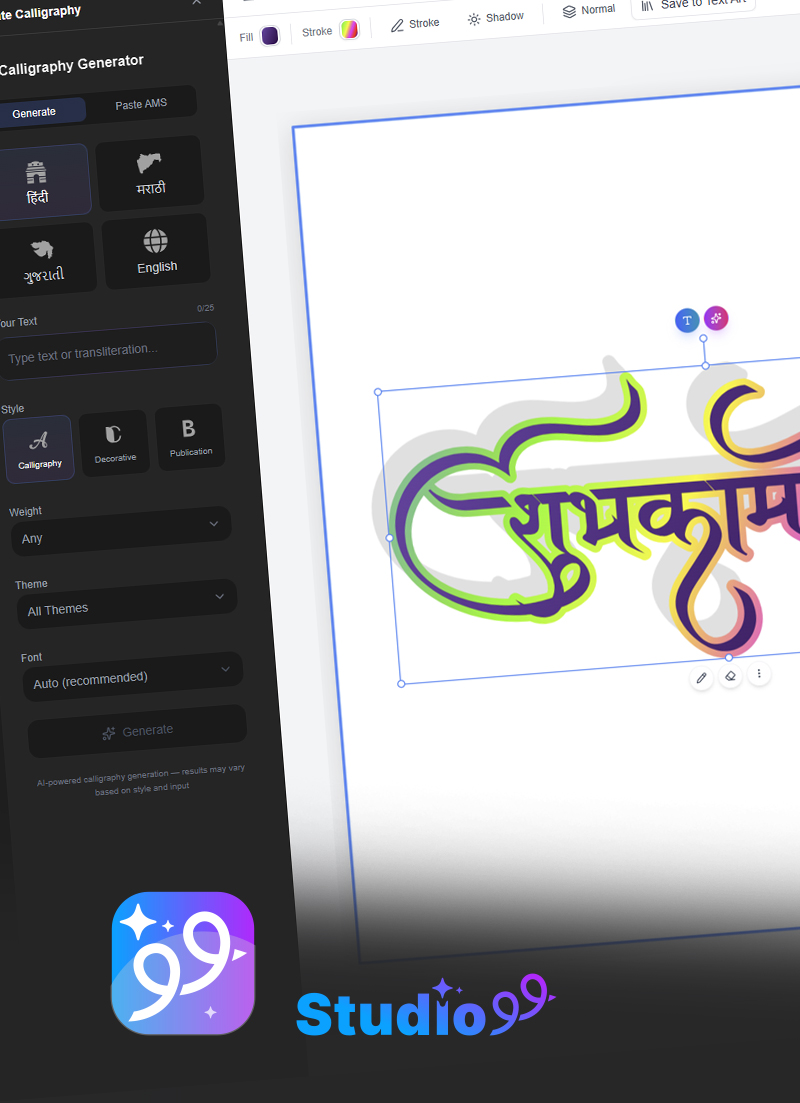
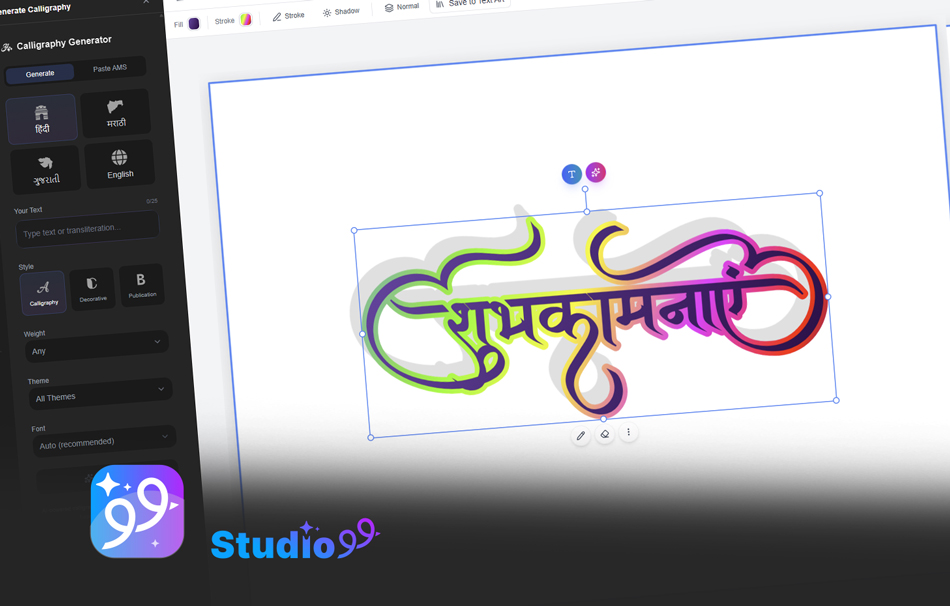
Do not want to install fonts? Try CalligraphyMaker.com to create beautiful Hindi calligraphy images directly in your browser. Perfect for quick designs when you need a one-off graphic without downloading anything.
Try CalligraphyMaker FreeStart Creating Stunning Hindi & Marathi Designs in PixelLab
Download your favorite fonts from the lists above and transform your mobile photo editing. With 40+ free AMS fonts at your fingertips, the only limit is your imagination.
Browse All AMS FontsPixelLab combined with the right Hindi and Marathi fonts is a powerful creative tool that fits in your pocket. Whether you are a YouTube creator making thumbnails, a social media manager designing posts, or someone who simply loves creating beautiful text-on-photo designs, these AMS fonts will elevate your work. Download a few today, experiment with different combinations, and discover the styles that resonate with your audience. Your next viral post might be just one font away.